MitiRisk logo MitiRisk™LEGAL WORKFLOW PLATFORM

MITIRISK™ · SECURE LAW FIRM WORKFLOWS

Mitigate Your Risk.
Automate Your Workflow.

Save time. Cut costs. Focus on clients.

Automate client intake, payment, document preparation and delivery, with attorney review and e-signature in one secure workflow. Invoicing features available as a Concierge service. All transactions and communications are audited for later review.

MITIRISK / CONNECTED LAW FIRM WORKFLOWS● ● ●

Automated document preparation and delivery, with attorney oversight.

01Intake & Pay
02Prepare & Deliver
03Attorney Review
04Sign & Close
✓ Guided Client IntakeONE Link (delivered in marketing or messaging) for automated Intake of Instrument Selection and Payment.
✓ Automated Document Preparation & DeliveryPrepare documents using approved templates and client data, delivered in seconds after payment.
✓ Attorney Review & ApprovalHuman oversight and in-system audited, instant communication for changes needed.
✓ E-Signature & RecordseSignature where allowed, otherwise download and sign. Securely retain completed records.
* We are currently onboarding a few final test partners HERE for an exclusive platform discount.
The business case

Less Staff. More Income Potential.

A law firm grows when it can serve more paying clients without adding the same amount of administrative work. MitiRisk connects upfront intake and payment, automated document preparation, attorney review, and litigation billing - so your team can focus on legal work.

  • Reduce repeated intake, copying, follow-up, and invoice assembly.
  • Collect self-service transactional fees upfront, or use concierge invoicing for established clients.
  • Capture billable litigation time and make invoices easier to deliver.
  • Use recovered capacity for additional matters when client demand supports it.
ILLUSTRATIVE EXAMPLE

What could additional monthly matters contribute?

Enter your firm's own assumptions.

Additional monthly fees$6,000
Monthly contribution after per-matter costs$4,400
Annual contribution at that pace$52,800

Illustration only, not a projection or guarantee. Contribution is before fixed overhead, platform and onboarding costs, taxes, and other expenses. Extra work requires client demand and sufficient professional capacity.

The hidden cost of disconnected legal software

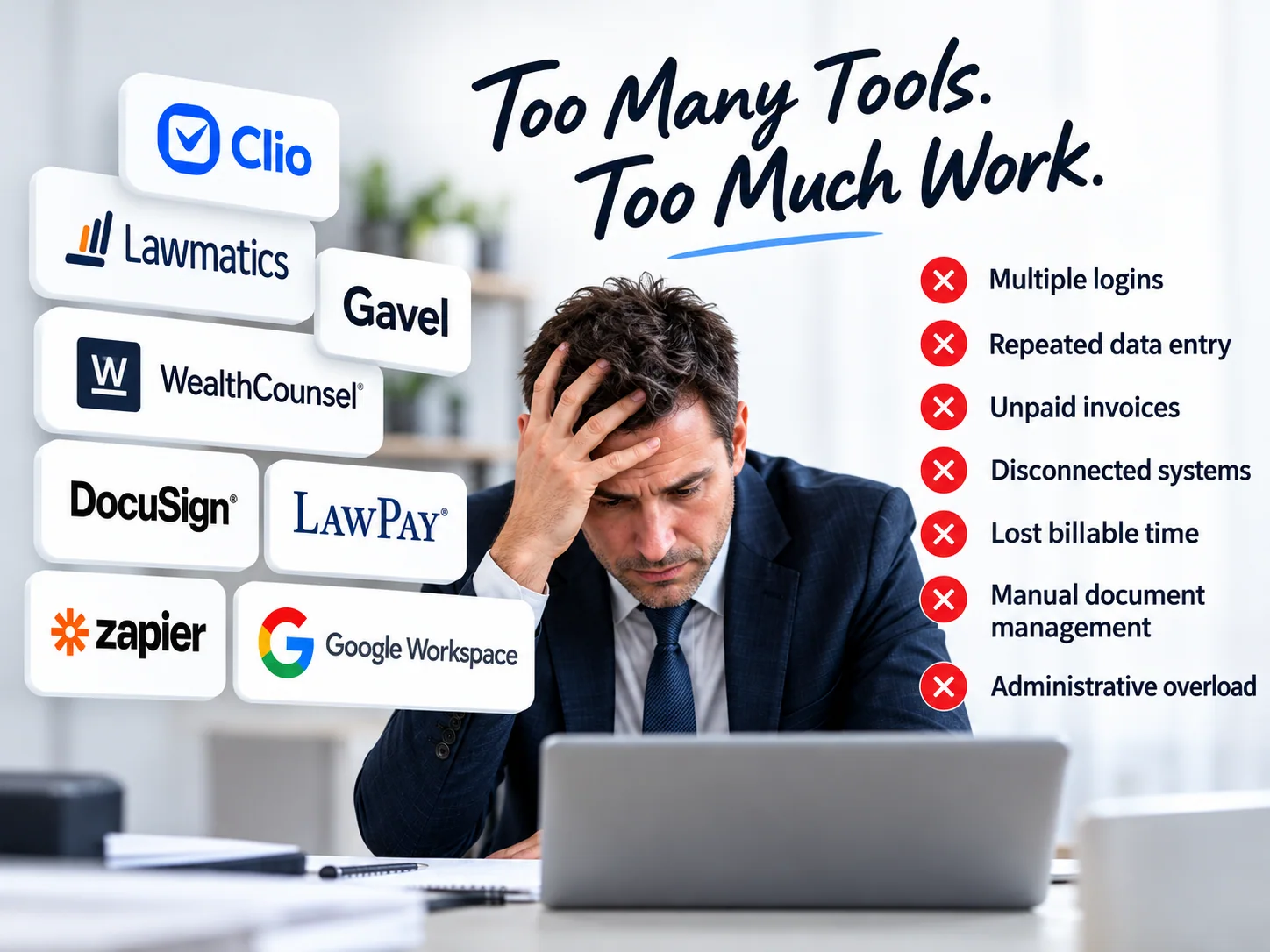
Too Many Tools. Too Much Work.

Adding another app may solve one problem while creating several others. The real cost of a collection of software isn't just the subscription price: it's the time, risk and administrative work needed to keep everything connected.

Overwhelmed attorney at a laptop surrounded by separate legal software tools and disconnected workflows
Every additional platform can mean more training, accounts, handoffs and places where work may stall.
  • Software training never endsEvery product comes with a different interface, setup process, login and operating procedure. New hires, staff turnover and frequent updates mean more training and less time serving clients.
  • Duplicate data entry creates errorsStaff re-enter names, contact details, matter information and document answers across systems. Small discrepancies can cause incorrect documents, unnecessary corrections and client frustration.
  • Costs go far beyond the advertised pricePer-user fees, overlapping subscriptions, add-ons, premium integrations, renewals and transaction charges can accumulate quickly. Managing multiple bills takes additional time.
  • Integrations create more points of failureExpired connections, changing APIs, permissions, software updates, synchronization conflicts or outages can interrupt the handoff between intake, documents, invoices and messages.
  • More vendors increase the security burdenEvery additional provider means another set of credentials, access permissions, data-sharing settings, retention policies and employee offboarding tasks. Sensitive client information is harder to oversee when it is scattered.
  • Billing and collections get disconnectedWhen notes, time entries, invoices and payment records live in separate tools, staff must reconcile information manually. Missing data and delays can slow cash flow.
  • No single view of the client matterDifferent status screens and activity logs make it harder to track document progress, attorney approvals, client requests and outstanding payments. When a process fails, it may be unclear which vendor can fix it.

One MitiRisk Workflow. Fewer Moving Parts.

MitiRisk brings supported client intake, rules-based document preparation, attorney review, payments, client communication, litigation time tracking and invoicing into a coordinated workflow. Your law firm keeps control of its own Google Drive documents, and attorneys retain legal approval authority. The goal: fewer handoffs, less duplicate work and a clearer picture of every matter.

Competitive Landscape: MitiRisk vs. Legal Tech Systems

Legal technology feature comparison: MitiRisk, traditional practice-management software, legal CRM and intake systems, and online document services
Feature / Capability MitiRisk Platform Traditional Practice Software
(Clio, MyCase, PracticePanther)
CRM & Intake Tools
(Lawmatics, Law Ruler)
DIY / Direct Document Sites
(Rocket Lawyer, LegalZoom)
Core Business Model Client-initiated transactions, attorney-led Concierge Legal Service, plus litigation matter notes, time tracking and invoicing Practice and case management, timekeeping and billing Lead intake, CRM and marketing follow-up Self-service legal forms and related legal services
Revenue Realization Client intake supports upfront payment; attorney-initiated concierge engagements also offer invoice later or pro bono. Litigation invoices include Stripe payment links. Billing, invoicing and online payments; setup varies by product Lead conversion and intake; payment features vary Consumer subscriptions or fees for selected services
Concierge Legal Service - Existing Clients Attorney creates the client account, selects one or more transactional documents and chooses pay upfront, invoice later or pro bono. Supports document work without requiring immediate client checkout. Staff can create matters and arrange billing; integrated document selection and payment controls vary by product and configuration. Staff-led client intake and payment workflows vary by vendor; document automation and pro bono handling may require additional tools. Generally oriented to consumer-initiated document selection and checkout, not a firm's existing-client concierge workflow.
Litigation Matter Notes & Billable Time Type notes, use voice-to-text or upload a voice recording. Record start and stop times and flag each entry for billing. Matter notes, timers and billable time are common; audio and dictation options vary by provider. Primarily lead intake and CRM; matter-note and timekeeping capabilities vary by product or integration. Typically focused on legal forms and purchased services, rather than law-firm matter timekeeping.
Invoice Generation Director-generated invoices on demand: individual client invoices or invoices for all clients for a selected month. Individual and batch billing are available in many practice platforms; workflows and configuration vary. Some payment or invoicing tools are offered directly or through integrations, depending on the platform. Consumer-facing charges and subscriptions; not typically a law-firm billable-matter invoicing system.
Invoice Delivery & Payment Itemized invoices show pertinent matter details and total due, are emailed and posted to the client message board, and include a direct Stripe payment link. Online invoices, client portals and electronic payments are common, with provider-specific integrations. Client communications and payment-link options vary by vendor and connected services. Checkout for forms or services, rather than ongoing firm-to-client matter billing.
Quality & Risk Control Firm-template automation with human-in-the-loop attorney review Attorney-managed drafting and review, with product-specific tools Intake and communication workflows; legal review remains with the firm Legal review and professional services vary by product and plan
Data Security & Privacy Firm-controlled Google Workspace files, access permissions, audit trails and stateless processing where applicable Cloud-hosted case data and security controls that vary by vendor Cloud-hosted prospect data with vendor-specific controls Cloud-based accounts and documents, with product-specific retention policies
Client Intake Flow Client-guided intake or attorney-created client account with selected document(s) and a choice of payment arrangement, followed by completion and attorney approval Firm-managed intake and client communications, with varying automation Online intake forms, CRM workflows and follow-ups Self-directed forms and optional support services
Lead Pipeline Engine SignalStream™ life-event targeting and campaigns (separately priced) Integrations, referrals or third-party marketing; varies by product Marketing and lead-automation features are often a core focus Consumer-facing acquisition and online search traffic

On mobile, swipe sideways to view all columns.

This is a high-level comparison of typical product categories, not a feature-by-feature audit or security certification of named providers. Features, pricing, attorney services and retention policies vary by product and plan. MitiRisk retains operational and structured workflow records; stateless processing does not mean zero data storage.

Illustrative small-firm software budget

Stop Paying for Multiple Legal Software Subscriptions

Legal intake, document automation, electronic signatures, client communications, appointment booking, and litigation invoicing often involve separate software subscriptions. MitiRisk brings these supported activities together in one connected law-firm workflow. The example below shows what a one-to-three-user firm might budget if it bought each capability as a separate product.

Swipe the table left to view the monthly price column.

Example monthly costs of a separately purchased legal software stack
Separate software subscriptionWhat MitiRisk brings into the workflowExample monthly budget
Online client intake and formsJotform- or Clio Grow-style intake toolGuided client intake, reusable questionnaires and matter setup$79
Legal document automationGavel-style document assembly toolTemplate-based document preparation, variable collection and attorney review$149
Electronic signaturesDropbox Sign- or DocuSign-style serviceFirm-configured electronic signing and wet-signature workflows$35
Secure client portalShareFile-style client file exchangeClient access, document requests and approved PDF delivery$49
Time tracking and invoicingTimeSolv- or Bill4Time-style billing productLitigation time capture, invoices and payment links$89
Appointment schedulingCalendly-style booking softwareClient appointment selection connected to the firm's calendar$19
Workflow automation and remindersZapier-style workflow routingProgress tracking, task routing and client notifications$39
Illustrative total: seven separate subscriptions$459/mo
MitiRisk subscription — up to three users$250/mo
Illustrative subscription difference$209/mo

How to read this example: These are hypothetical planning budgets for separately purchased software categories, not verified current vendor prices, quotes or guaranteed savings. The brands named are examples of product categories only; their plans and functionality vary, and some subscriptions may already bundle multiple features. Your firm might use fewer tools, pay different per-user rates or have no comparable subscription expense.

Not included: MitiRisk's separately charged law-firm document/template setup, Stripe processing fees, any required paid Google Workspace services, taxes, and optional SignalStream™ marketing (priced separately). MitiRisk does not necessarily replace every feature of a broader practice management system, such as legal research, trust accounting or court e-filing. Compare your firm's actual needs and vendor contracts before canceling any service.

High-security design • practical controls

Security Built to Mitigate Your Risk

Law firms handle sensitive information. MitiRisk combines controlled workflows and firm-managed Google Workspace resources to reduce unnecessary exposure while keeping attorneys in control.

Stateless processing - properly defined

Where a workflow step is stateless, it processes a request without relying on a permanent session copy of the document. This does not mean the entire platform stores no data: operational records and structured JSON workflow data can persist as needed.

Google Workspace protections

Firm-controlled Google Drive folders benefit from Google's encryption in transit and at rest, access-management options and audit capabilities, subject to the firm's configuration, subscription and policies.

Role-based access & least privilege

Client, attorney, Director and administrator roles are designed to limit access to the appropriate records and actions. Secure permissions and multifactor authentication should be configured and maintained.

Human-in-the-loop validation

Rules-based document preparation is routed to a qualified attorney for review and approval before e-signature, helping reduce the risk of unchecked document errors.

Auditability & accountability

Workflow and access logging support oversight of intake, assignments, reviews and completion. Retention, monitoring, permissions and incident response remain essential operational responsibilities.

Direct, secure payment paths

Clients use Stripe for transactional payments or to pay litigation invoices. Payment links help keep fee collection organized without turning the legal document workflow into a payment-card storage system.

Security clarification: “Stateless” describes certain processing behavior, not an absolute zero-retention promise. Use of Google infrastructure does not itself mean MitiRisk is independently SOC 2 certified, HIPAA compliant, or the “highest security available” in any audited comparison. Security outcomes depend on implementation and configuration.

One coordinated process

Built for a smaller firm's daily reality.

Spend less time moving data between systems and more time applying legal judgment.

Attorney oversight

Automated preparation supports the work; a qualified attorney remains responsible for final review.

Firm-controlled files

Your firm uses its own Google Workspace folders while MitiRisk coordinates intake, review and completion.

Clear payment paths

Collect payment upfront, choose concierge invoicing or pro bono service, and send litigation invoices with Stripe links.

Schedule a time to talk